
Native macOS app
Smooth, fast, and shortcut-complete on the Mac
Latest v0.1.68 · 14.0 MB · All platforms & install notes
Capabilities
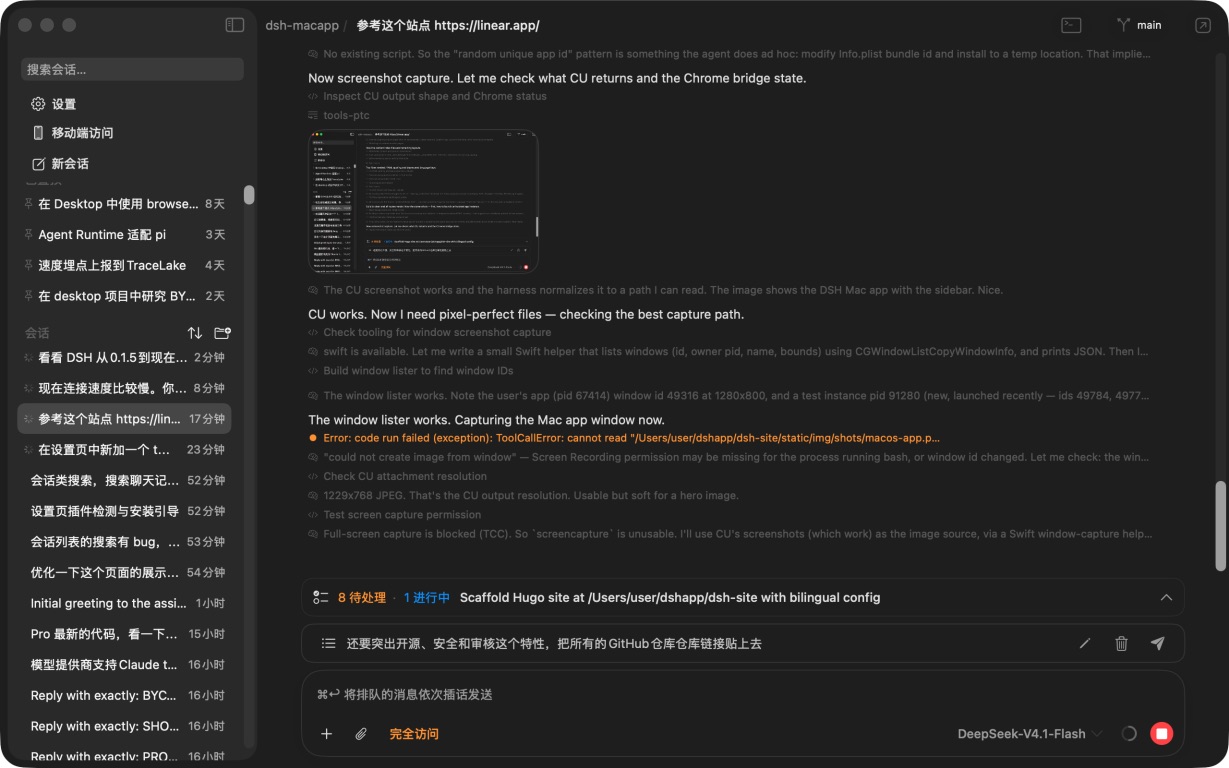
Native window, native feel
Window, sidebar, toolbar, and menus are all system controls. Scrolling matches the system — nothing is a wrapped web page.
A native Apple Silicon build
An arm64 binary that is ready the instant it opens, and keeps long trajectories at frame rate.
The full shortcut set
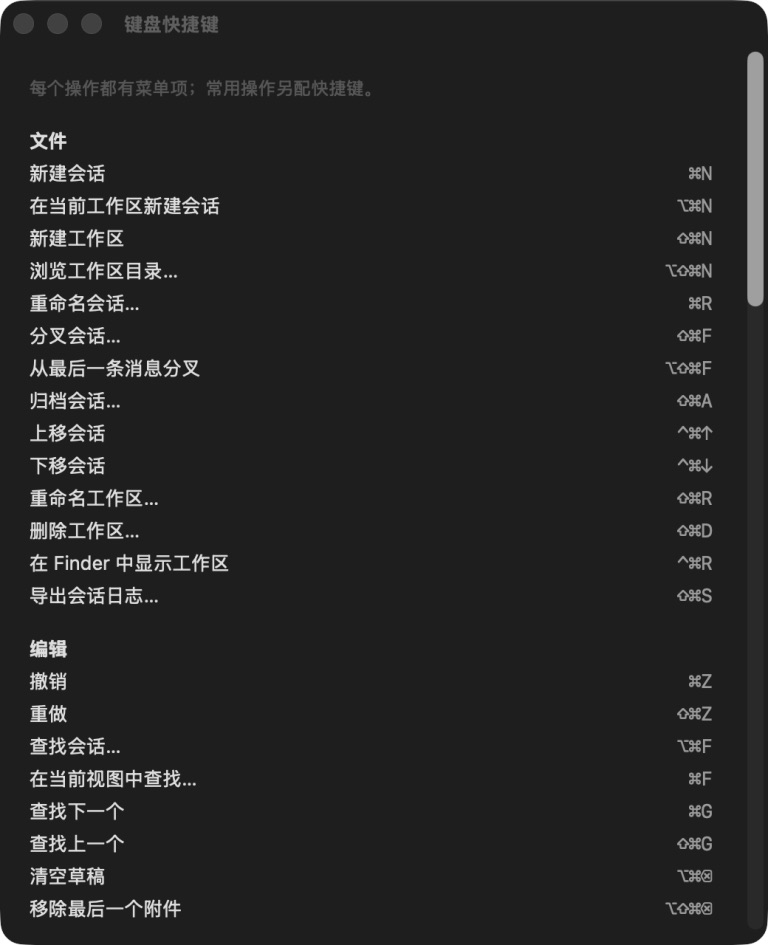
New session, find, session switching, and a shortcut reference, bound the way Mac muscle memory expects.
Follows your system settings
System appearance, accent color, and accessibility options — including Reduce Motion and Increase Contrast.
Why native
DSH for macOS is a SwiftUI application, not a web page in a window. Three things you feel immediately:
- Scrolling matches the system. A long trajectory never develops the lag or dropped frames of a web view; inertia and bounce behave like every other app.
- Ready on launch. A native binary skips runtime bootstrapping — open it and type.
- The menu bar is the feature map. Every command appears in the menus with its shortcut, and the shortcut panel (⌘/) shows the whole set at once.
Shortcuts
| Action | Shortcut |
|---|---|
| New session | ⌘N |
| New session in this workspace | ⌥⌘N |
| New workspace | ⇧⌘N |
| Fork session | ⌘R |
| Find in view | ⌘F |
| Previous / next session | ⌥⌘← / ⌥⌘→ |
| Show / hide sidebar | ⌥⌘S |
| Select model | ⇧⌘M |
| Permission mode | ⇧⌘P |
| Show / hide terminal | ⌘J |
| Shortcut panel | ⌘/ |
| Send message | ⌘↩ |
The in-app shortcut panel is the source of truth.
macOS conventions
We do not draw our own controls. The window is the system window, the sidebar the system sidebar, the lists system lists; accent color, contrast, and motion settings are read from the system. Change your appearance, accent, or Reduce Motion setting and the app follows.
A local service
The app hosts the DSH service on your machine. The Chrome extension and the phone client both connect to it — you never open a terminal or remember a port.
Download Deepseek Harness APP
The native macOS client for DSH: a native SwiftUI window, a native Apple Silicon build, a complete shortcut system, and macOS conventions throughout.