
Computer use
It reads the interface and hits the right control
Latest v0.1.68 · 14.0 MB · All platforms & install notes
Capabilities
Understands the interface
The accessibility tree supplies structure and text; screenshots fill in the visuals. Together the agent knows what is actually on screen.
Targets controls
It locates controls rather than hard-coded coordinates, so a moved window or a different resolution does not break it.
Stays in the background
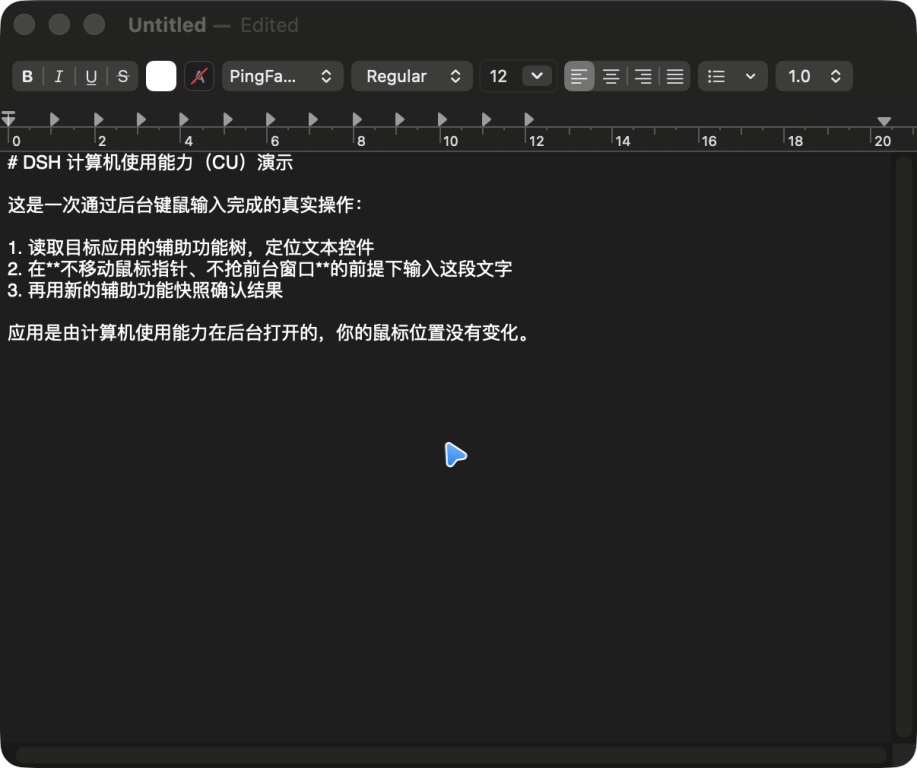
Input is delivered in the background without moving your pointer or raising the window, so you keep using the machine.
Asks before irreversible actions
Sending, deleting, purchasing, and publishing are stated before they happen.
Two kinds of eyes
Computer use reads through two channels at once:
- The accessibility tree gives windows, controls, text, and hierarchy. It is precise, targetable, and tells us what an element is rather than what it looks like.
- Screenshots cover what the tree cannot express — canvases, charts, and custom-drawn interfaces.
Together, the agent knows both the control’s name and its position on screen.
Background input
Actions are delivered as background mouse and keyboard events:
- Your pointer does not move, so you can keep working.
- The target window is not raised — input lands even when the window is fully covered.
- For the rare app that truly needs foreground input, there is an explicit opt-in fallback.
Controls, not coordinates
Because targeting is based on the control itself:
- Moving a window, changing resolution, or changing display scaling does not break an action.
- A localized build of the same interface is still recognized.
- Coordinate input remains available for canvases, games, and handwriting.
Safety boundaries
- The agent states what it is about to do; irreversible actions need your confirmation.
- Accessibility and screen recording permissions are granted by you and can be revoked in System Settings at any time.
- It does not download or install software on its own; required apps come from you, from official channels.
Download Deepseek Harness APP
DSH computer use: it understands the screen through the accessibility tree and screenshots, then acts with background keyboard and mouse input — no window stealing, no moving your pointer.