
Native Android app
Kotlin + Compose, pairing straight back to your Mac
Latest v1.0.6 · 38.4 MB · All platforms & install notes
Capabilities
Genuinely native
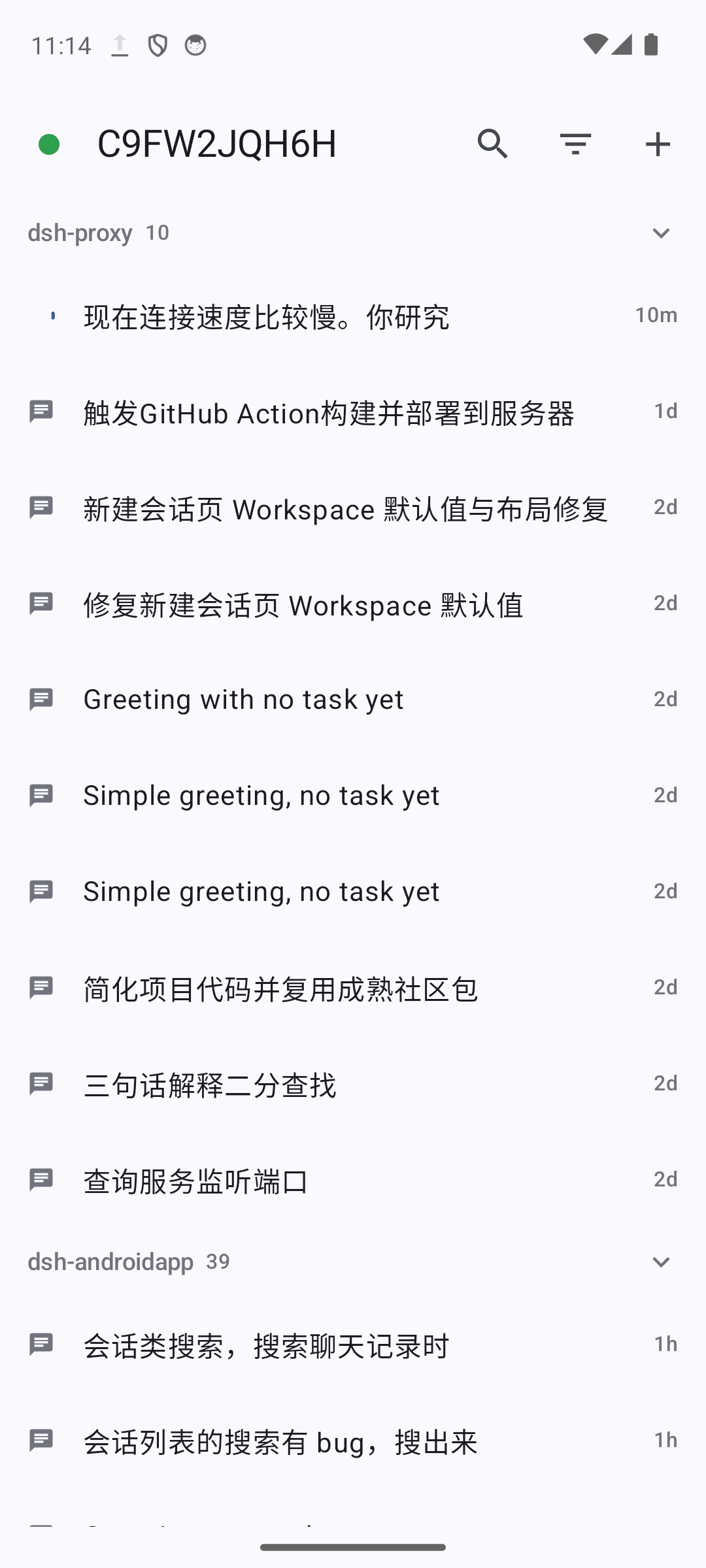
Kotlin and Jetpack Compose with no WebView; lists, drawers, and sheets are Material 3 components.
Aligned with the desktop
Session list, conversation, composer, images and attachments, and every settings panel match the desktop client.
Join by QR code
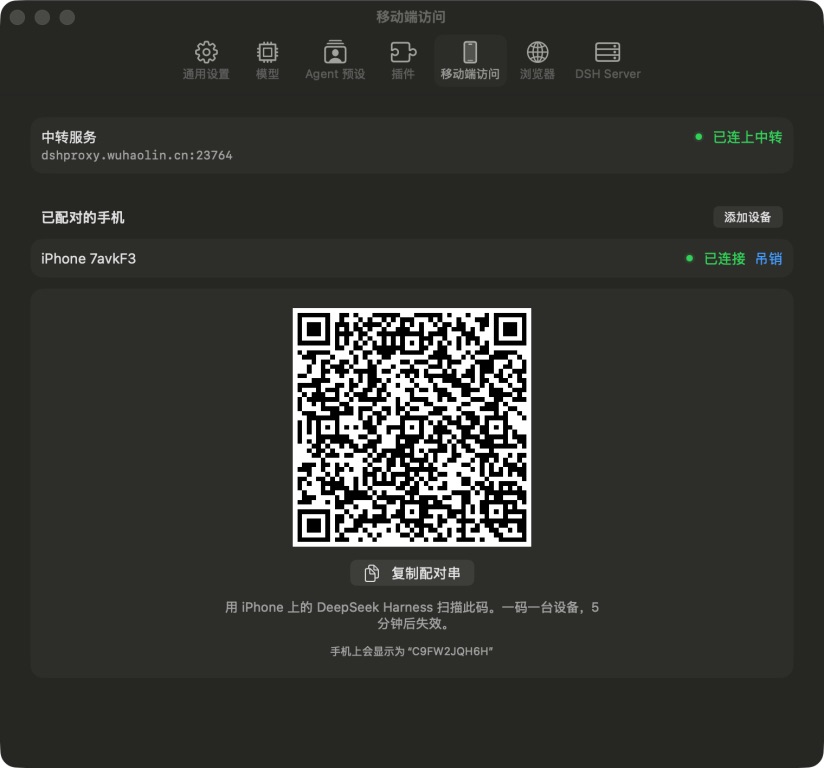
Scan the pairing code shown on your Mac to join. After that its key proves who it is — no verification codes.
End-to-end encrypted
One Noise_IK handshake between phone and Mac provides encryption and mutual authentication; the relay cannot read a byte.
The same capabilities as the desktop
The goal for Android is not “it works” but it works just as well:
- Sessions, workspaces, and settings are the same data as on the desktop.
- Tool calls, trajectories, Markdown, and code highlighting render natively.
- Images, attachments, and sharing go through platform capabilities.
Platform-appropriate interaction
The interface is reimplemented to Android conventions rather than copying iOS:
| iOS | Android |
|---|---|
| NavigationStack | Navigation Compose |
| List / Section | LazyColumn + ListItem |
| swipeActions | SwipeToDismissBox |
| contextMenu | long-press DropdownMenu |
| sheet | ModalBottomSheet |
| SF Symbols | Material Icons |
| DataScanner | CameraX + ML Kit |
The pairing flow
The phone does not “log in” — it establishes its own encrypted channel to this Mac:
- The Mac issues a single-use pairing token (valid five minutes, only one outstanding).
- The QR code carries the relay address, the Mac’s public key and name, and the token.
- The phone scans it, generates a key pair, connects over Noise_IK, and sends the token in its first message.
- The Mac verifies the token in constant time, consumes it, and adds the device’s public key to the allowlist.
- The token is discarded; an unpaired device fails during the handshake itself.
Three problems, one handshake
Conventional designs separate encryption (TLS), authentication (a token), and replay protection (timestamps plus a dedup table). DSH folds them into one Noise_IK handshake:
| Property | Provided by |
|---|---|
| Encrypted channel | Noise transport (ChaChaPoly) |
| The phone is authenticated | the device’s static public key in the handshake — that key is the device id |
| The Mac is authenticated | the phone already knows the Mac’s public key and verifies it |
| Forward secrecy | the ephemeral key of each handshake |
| Replay protection | the monotonic transport nonce |
The result: no certificate, no CA, no domain dependency, no bearer token, and no time-window check.
The relay cannot read a byte
The only public component is a minimal relay:
- Read the 37-byte cleartext header at the start of each connection (magic + version + routing key).
- Look up the Mac’s long-lived connection by that key.
- From then on, copy bytes only — never parse.
It does not decrypt, does not touch disk, and does not log. The routing key is an identifier, not a secret; it is already in the pairing QR code.
Device management
- Each device carries an expiry, 180 days by default.
- Presence is observed, not guessed: the bridge counts the streams a phone actually holds rather than trusting a “last seen” timestamp.
- Revoking a device also hangs up the connections it already has.
What a phone may reach
A connected phone reaches only what it needs: the RPC channel is open, plugin routes are default-deny, and only an explicit handful of routes are allowlisted. The pairing and revocation endpoints answer a phone with 403 — they belong to the Mac side only.
Secure storage
The device private key and server profiles live in encrypted storage. As on the desktop, pairing means no passwords afterwards.
Download Deepseek Harness APP
The native Android client for DSH: Kotlin and Jetpack Compose, Material 3, sharing sessions with every other client, and pairing back to your Mac end-to-end encrypted.